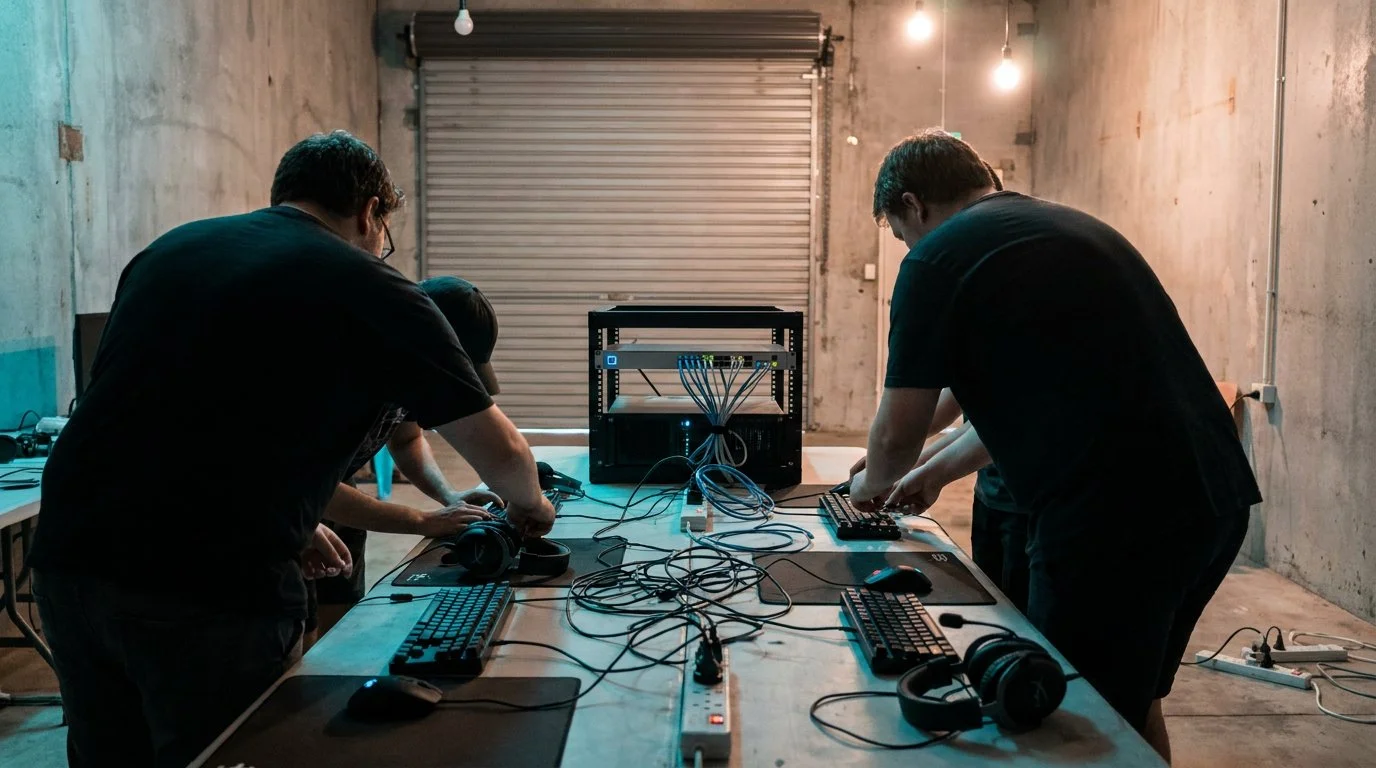
Your next reliable squadmate doesn’t need to live in the same city. To find gaming teammates in Australia, start with groups for your city or game, then look for players who want the same kind of session, from relaxed co-op to organised competitive play. Adelaide and Canberra players can also widen the search to Australian and New Zealand communities.
Finding people is only part of the match. You’ll have a better chance of building a steady squad when you share your game, platform, preferred play times and approach to teamwork. This guide shows where to look by city, how to connect with players across Australia and New Zealand, and what to include when you introduce yourself. It also covers how to choose between casual and competitive groups, so you can find a roster that suits the way you like to play.
Key Takeaways
- Search for gaming groups by city and game, then narrow your options by preferred play times and style.
- Expand your search to Australian and New Zealand players to find teammates beyond your local area.
- Say whether you want casual sessions or competitive matches, and describe the games and roles you’re keen to play.
- Use Black Squad’s game forums to find players, discuss games and get community server support.
Table of Contents
Gaming groups in Adelaide and Canberra
To find video-game groups, search by city, game and play style. Try “Adelaide co-op gaming” or “Canberra ranked squad” in game forums and community platforms. For other locations, use your own city alongside the title. Add your platform and preferred session times to narrow the results and make your post easier for suitable players to answer.
Board-game groups in Melbourne and Sydney are for tabletop sessions, not necessarily video-game lobbies. Check the group description for named video games and platforms before joining. If you enjoy both, state each interest separately so people know whether you’re looking for a digital squad or an in-person board-game table.
Australian gaming groups can be open communities or organised rosters. Read the rules and recruitment posts before introducing yourself. Check expectations for regular attendance, voice chat and casual drop-ins. A group that welcomes occasional players may suit a changing schedule, while a roster with set commitments may work better if you want regular team play.
For Counter-Strike: Source, look for a group that explains how it approaches teamwork. Say whether you prefer relaxed matches or coordinated squads, and name your preferred mode. Ask how the group organises sessions and uses voice chat. Clear expectations help you decide whether its pace suits your play style.
Discord communities and game-specific LFG tools may offer filters for platform, region and voice chat preferences. Features vary by community and service. Keep early conversations on-platform, protect personal details and choose a public place for any in-person meetup. Tell someone you trust where you’re going.
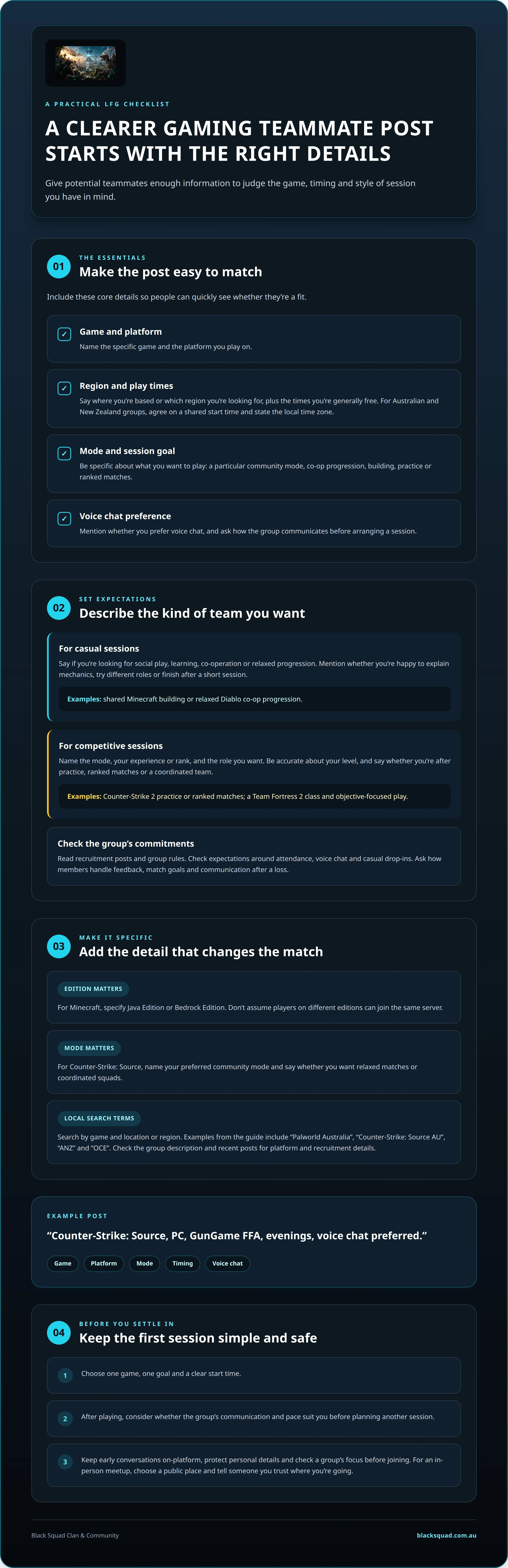
A useful LFG post names the game, platform, region, preferred mode, play times and voice-chat preference. Add your experience and the kind of session you want. For example: “Counter-Strike: Source, PC, GunGame FFA, evenings, voice chat preferred.” This gives potential teammates clear details to respond to.
Some groups may focus on social activities or anime rather than gaming, so check a group's focus before joining.
Australian and New Zealand players
Expand your search from your city to Australia and New Zealand. Search Discord servers and game forums using the game title plus “AU”, “ANZ” or “OCE”. Try “Palworld Australia” or “Counter-Strike: Source AU”. Read descriptions for region, platform and recruitment details. Look for recent posts naming Australian or New Zealand players.
Choose a group based on the game experience you want, not just its location. A Palworld co-op group may focus on shared progression and base tasks. A Counter-Strike: Source team may organise around a community mode. Check whether newcomers can join casually or need a regular roster. A V Rising group may centre on shared progression.
Australian and New Zealand players may keep different weekly schedules. Agree on a session time and state it in each member’s local zone. Suggest a recurring evening or weekend slot, then confirm it in group chat. Replace “later tonight” with a clear shared start time. Consider everyone’s availability before settling on a regular roster.
For Minecraft, specify Java Edition or Bedrock Edition in your post. Don’t assume players using different editions can join the same server. For Counter-Strike: Source, name your preferred community mode. Ask teammates about roles, voice chat and match length before arranging the first session.
Keep the first session simple: choose one game, one goal and a clear start time. Try a Palworld base-building session or a short Counter-Strike: Source match. Afterwards, decide whether the group’s communication and pace suit you. If they do, agree on another session and keep plans in one group channel.
One possible lead is Coffee on me. LF BFF (37yo gamer), which has 12 members in Melbourne, Australia. Treat a listing as a starting point rather than a guarantee that its members play your game or want the same kind of session. Check the description and recent chat for current activity, preferred games and how people arrange meetups. Introduce yourself with your location, the game and edition or mode you play, and the times you are generally free. Ask whether the group welcomes new players and whether sessions are casual or organised. If it seems like a fit, suggest a simple first session and confirm details in chat.
Casual and competitive play
To find teammates with similar skill, rank and play style, describe each clearly. Name the game, ranked tier or experience level, and preferred mode. For example, a Counter-Strike 2 player might seek relaxed objective practice, while another wants structured ranked matches. Rank helps set expectations, but communication and pace matter too.
For casual sessions, look for players who value learning, co-operation or social play. A Minecraft group might focus on shared building, while a Diablo group may prefer relaxed co-op progression. Say whether you’re happy to explain mechanics, try different roles or stop after a short session. These details help set a comfortable pace.
Competitive players should name the game mode, rank range and team role they want. In Counter-Strike 2, state whether you’re seeking practice, ranked matches or a coordinated team. In Team Fortress 2, mention your preferred class and objective-focused approach. Avoid claiming a rank you don’t hold; accurate details make better matches.
Before joining a roster, ask how members handle communication and feedback. A trial session can show whether teammates share your pace. Agree on voice chat, match goals and how the group responds after a loss. For a casual squad, that might mean reviewing a round without blame. Competitive groups may prefer planned practice and direct call-outs.
Keep your post specific and open to discussion. Try: “PC, ranked support, intermediate, available evenings, calm voice chat.” If you’re new to a game, say so and name what you want to learn. If you’re experienced, describe your role and preferred level of commitment. A clear fit matters more than a perfect rank match.
What are the best apps and websites to find gaming teammates in Australia?
No single app suits every game or group. Start with Australian clans and player-run communities, then find out where each handles recruitment. A community forum may have dedicated game sections, while a Discord server may use channels for LFG posts. Search with the game title and terms such as “Australia”, “AU” or “ANZ”. Read the group rules before posting.
Discord works well when a group uses separate channels for games, regions or voice chat. Search for Australian communities built around your game, such as Minecraft or Counter-Strike: Source. Check whether members post about current sessions and whether casual players can join. Clear channel names help you find the right place, but group rules and recent activity matter more than size.
Steam Community groups can suit PC games, including Counter-Strike: Source and Team Fortress 2. Look for groups that name their game, region and recruitment approach. Read recent discussions before introducing yourself. For console games, check the game’s own community features and platform-specific groups, then state your console and title clearly.
Reddit communities can help you locate players, but use game-specific spaces rather than broad gaming threads. Search for posts mentioning Australian or New Zealand players, then follow each community’s posting rules. Include your game, platform, region, preferred mode and availability. Avoid posting personal contact details publicly.
Use a simple process: choose a game, search for an Australian clan or forum, then compare its play style with yours. Try a short session before committing to a regular roster. For example, a Counter-Strike: Source player seeking GunGame can look for groups that discuss that mode. A Minecraft player should specify Java Edition or Bedrock Edition. These details help direct your post to people seeking the same kind of session.
Black Squad Clan & Community: Australian gaming community - game forums, finding teammates and server support
Black Squad Clan & Community is a practical next step when public LFG posts haven’t found your people. Our Australian gaming community brings game forums, teammate-finding discussions and server support together. Choose the Black Squad community forums for your game, then describe what you want to play. Include your platform, preferred mode and whether you’re after casual sessions or organised matches.
Forums give you room to find players beyond a single lobby. Minecraft players can discuss Java Edition or Bedrock Edition, while Counter-Strike: Source players can talk about community modes. Keep each post focused on one game and one goal. Join relevant discussions, share your availability and build familiarity before arranging a session.
Our Australian community servers can also give your group a shared place to play. Options include Counter-Strike: Source, Minecraft, 7 Days to Die, Palworld, Rust and V Rising. Choose a title your prospective teammates already enjoy, then use its forum to discuss getting started or finding others for a session. Server support is useful when you need help with a community server.
Taking part in forum discussions and applying to the clan are separate steps. Use the forums to discuss games and meet players; consider an application if you’re seeking formal clan membership, squads and rank progression. Black Squad events offer another way to join organised community play. Check the events calendar for confirmed details.
If you’d like help finding the right forum or server support, contact Black Squad Clan & Community to discuss your next step.
Frequently Asked Questions
Which Australian gaming Discord servers help players find teammates?
Game-specific Australian Discord servers are usually the most useful, especially when they have dedicated LFG channels and clear moderation. Before joining a squad, read the pinned rules and check how members handle recruitment, voice chat and disputes. Look for recent activity in the game channels, rather than relying on a server’s name or member count alone. Match its platform and game version to yours.
Are there Australian gaming communities organised by city, state, or time zone?
Yes. Communities may focus on a city, a state or players across Australia. A local group can suit face-to-face gatherings, while a national group can be more practical for online squads. Check the group’s stated area and whether its activities are online or in person. For a game with a smaller local player pool, a national community may offer more potential teammates.
Are there Australian esports clubs, LAN events, or gaming meetups for finding teammates?
Yes, esports clubs, LAN events and gaming meetups can help you meet players through shared competition or local play. Check the event format, featured games and whether it welcomes solo attendees or expects pre-formed teams. If you’re attending alone, introduce yourself to organisers and ask how teams are formed. For a first visit, agree on a public meeting point with your group and plan your own transport.